
Festival food ordering that keeps the queue moving.
Pre-orders with collection slots, walk-ups on the same cook sheet, and an app that keeps going when the signal drops. Built by people who’ve spent 10 years behind the hatch.
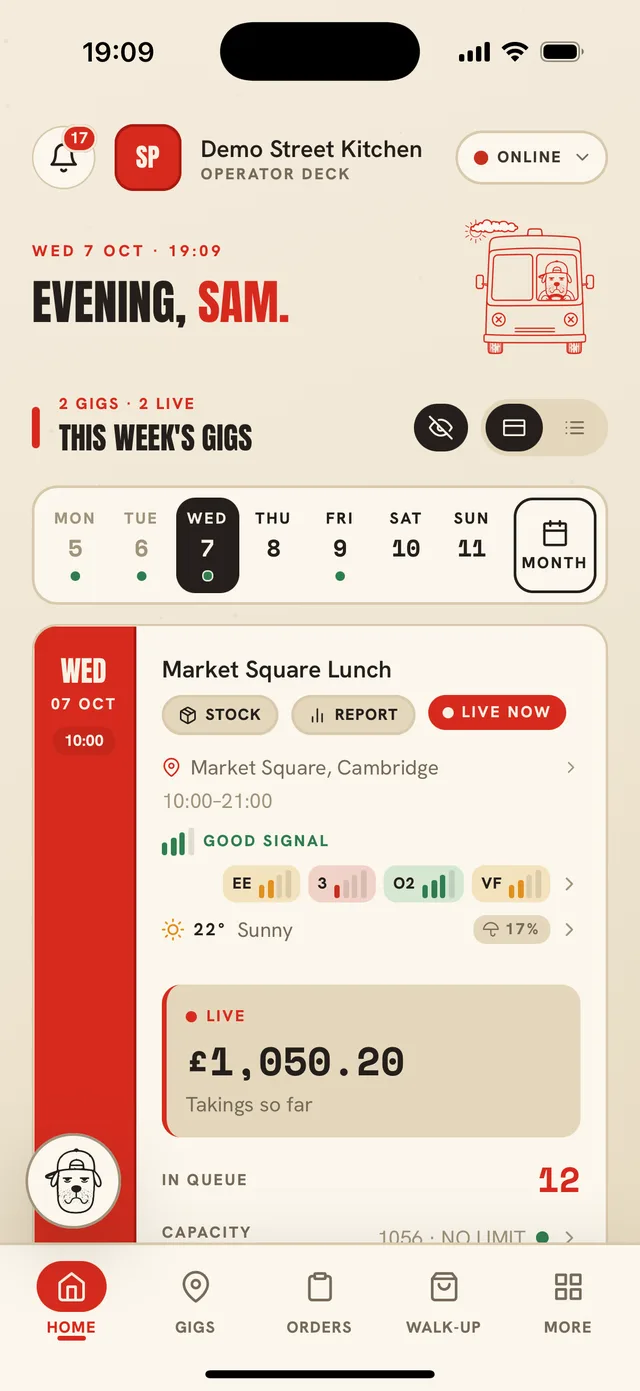
From booking the pitch to counting the takings.
Before the gig
Check the signal at the pitch
See UK mobile-network coverage for the pitch’s postcode, network by network, before you book it.
Forecast sales and stock
A forecast for the gig from your past gigs, with the weather factored in.
Know what to load
A stock list for the van for each gig, and a weekly order sheet for the week ahead.
Send the organiser your paperwork
HACCP, insurance, gas and PAT certificates in one pack, sent from your phone.
On the day
Pre-orders with collection slots
Customers order and pay from your page on their phone, and pick a time to collect. No app to download, and the page is built to load on festival 2G.
One cook sheet for every order
Online pre-orders and walk-ups land on the same cook sheet and share the same per-slot limits, so the hatch never gets swamped.
Keeps going when the signal drops
The app keeps taking walk-up orders and running the kitchen with no signal, then syncs when it’s back.
A self-order kiosk on an iPad
Let the queue order and pay at an iPad by the hatch. No extra software fee, hardware cost only.
Sold out in one tap
Mark an item sold out for this gig and it comes off the online menu and the till together.
Prices for the crowd
Change every menu price at the touch of a button to suit the event.
After
What you actually made
A breakdown after every gig of your takings and your profit once costs come off.
Bring them back
Ask customers for a Google review after they order, and invite them back with loyalty rewards.
Festival questions
How do festival customers order ahead from a food truck?
You share the gig’s link from the app. Customers open your page in their phone’s browser, choose from the menu, pick a collection slot and pay. Their order goes straight onto your cook sheet.
What happens when there’s no signal on site?
The ordering page is built to load on very weak connections. In the van, the app keeps taking walk-up orders and running the kitchen offline, then syncs everything when the signal returns.
Can I stop pre-orders swamping the hatch?
Yes. Each collection slot has a limit you set, and walk-up orders count against the same limits, so you never promise more than the kitchen can cook.
Can I check mobile coverage before I book a pitch?
Yes. Add the pitch’s UK postcode to a gig and WhatTheTruck! shows the predicted coverage for each mobile network.
Does it work for markets and corporate events too?
Yes. Regular markets can be set up once as recurring gigs, and corporate customers can order online, with WhatTheTruck! totalling the orders and generating the invoice.
Do I need a kiosk?
No. Most trucks start with pre-orders and walk-ups. An iPad kiosk is there if you want the queue to order and pay itself, with no extra software fee.
More for your truck
- Rocky, the AI assistant Run the truck in plain English. Rocky asks before it changes anything.
- Paperwork for organisers HACCP, insurance and certificates in one place, with reminders and packs to send.
- Loyalty and win-back Stamps or points scanned at the hatch, rewards, and messages that bring people back.
- Compare WhatTheTruck! against Grafterr, Hatches Up and Square, feature by feature.
- Pricing No monthly fee. Find your card rate, and see the Founder 100 first month.
See it on your own truck.
We’ll walk you through it with your menu and your gigs, and answer anything this page doesn’t.